

Third-party patching for Microsoft Intune
Intune Patch Management, Automated
Microsoft Intune deploys applications well. It does not keep them patched. Robopack adds the missing half: it scans your existing Intune tenant for every app on every device, packages the ones nobody wants to package, and rolls each new version out through the same pilot and broad rings — every app, every time. Cloud-hosted, no agent on your endpoints, no scripts to maintain.
Ready to use your own tenant? Start a 30-day free trial


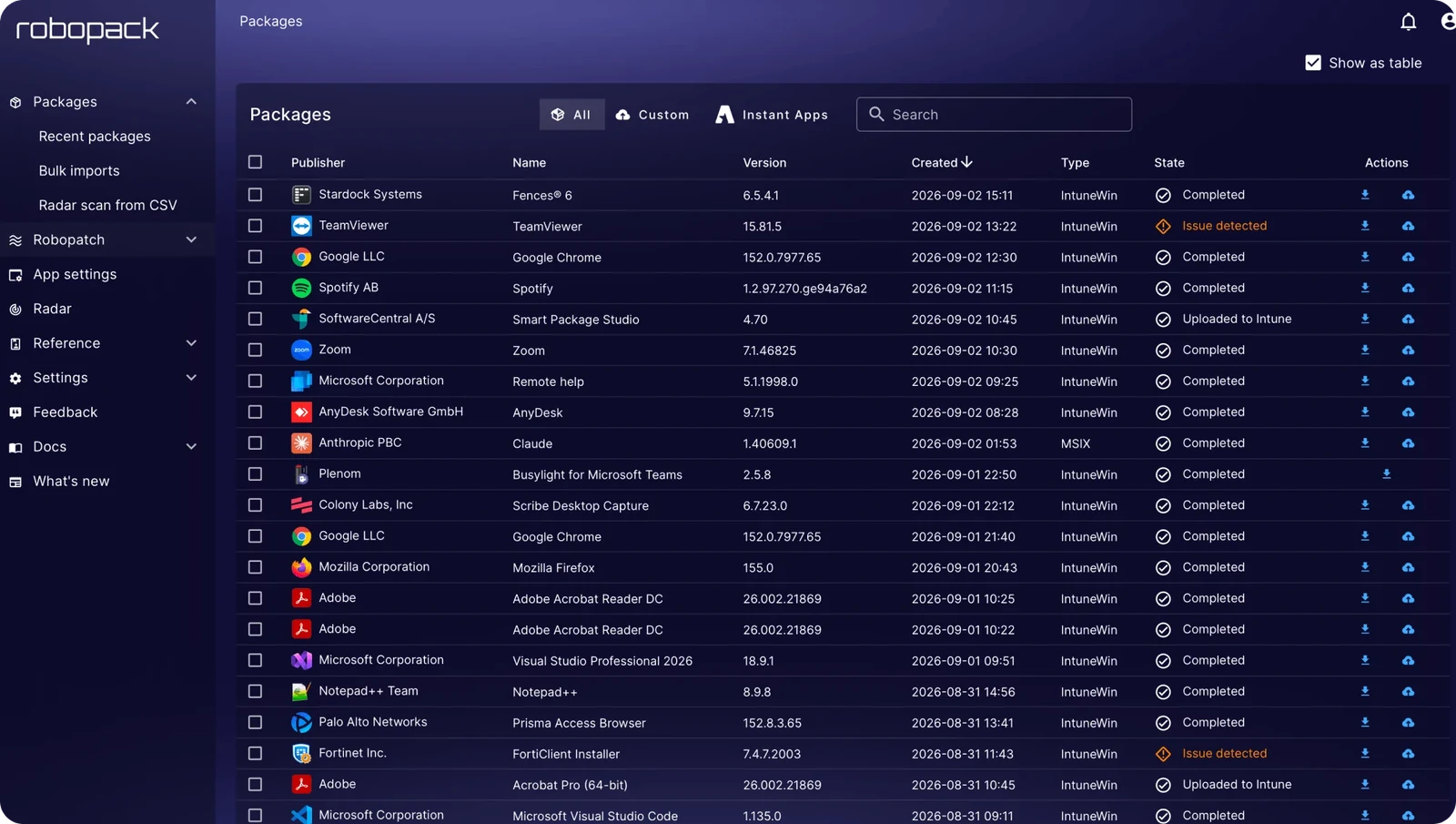
30,000+ applications, already packaged and already tested
Search the catalog and you will find most of what you would otherwise be packaging by hand — browsers, readers, runtimes, Visual Studio, Teams, the Microsoft redistributables — plus a long tail of developer and engineering tools that normally end up as somebody’s hand-rolled package.
Supercharge your Intune patching with these features
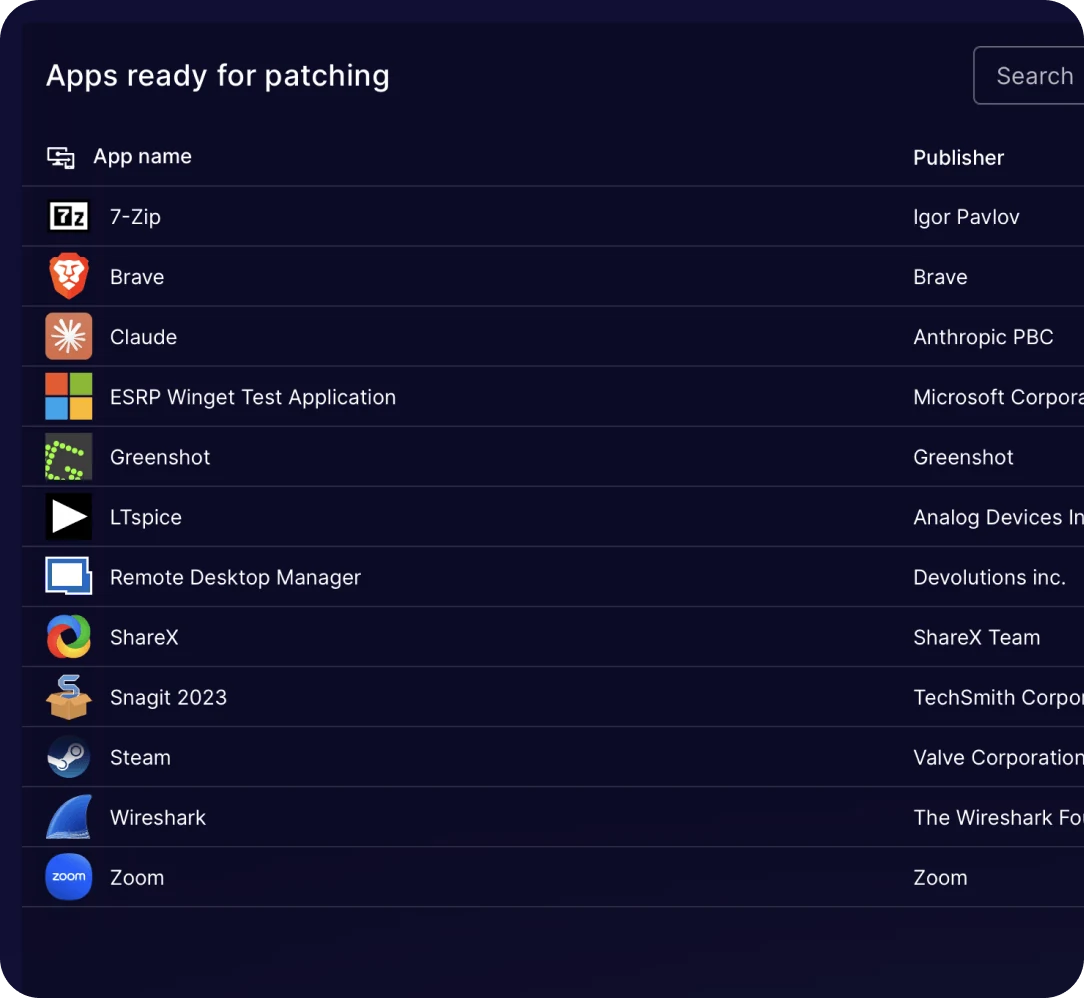
Apps ready for patching
Robopack can start patching most of the software already on your devices today. One click per app puts it under management — or tick several and add them together — and from then on it picks up new versions on its own.
It is also the first honest inventory most teams get to see. Alongside the software you deployed on purpose, you will find what your users installed themselves: a second browser, an AI assistant, a screenshot tool, a packet sniffer, a games launcher. All of it real, all of it sitting on managed hardware, none of it updating.
You do not install anything to get this. Robopack Radar reads what Intune already collects from your enrolled devices, so the list is populated the day you connect a tenant. It refreshes daily, or on demand when you want it now.
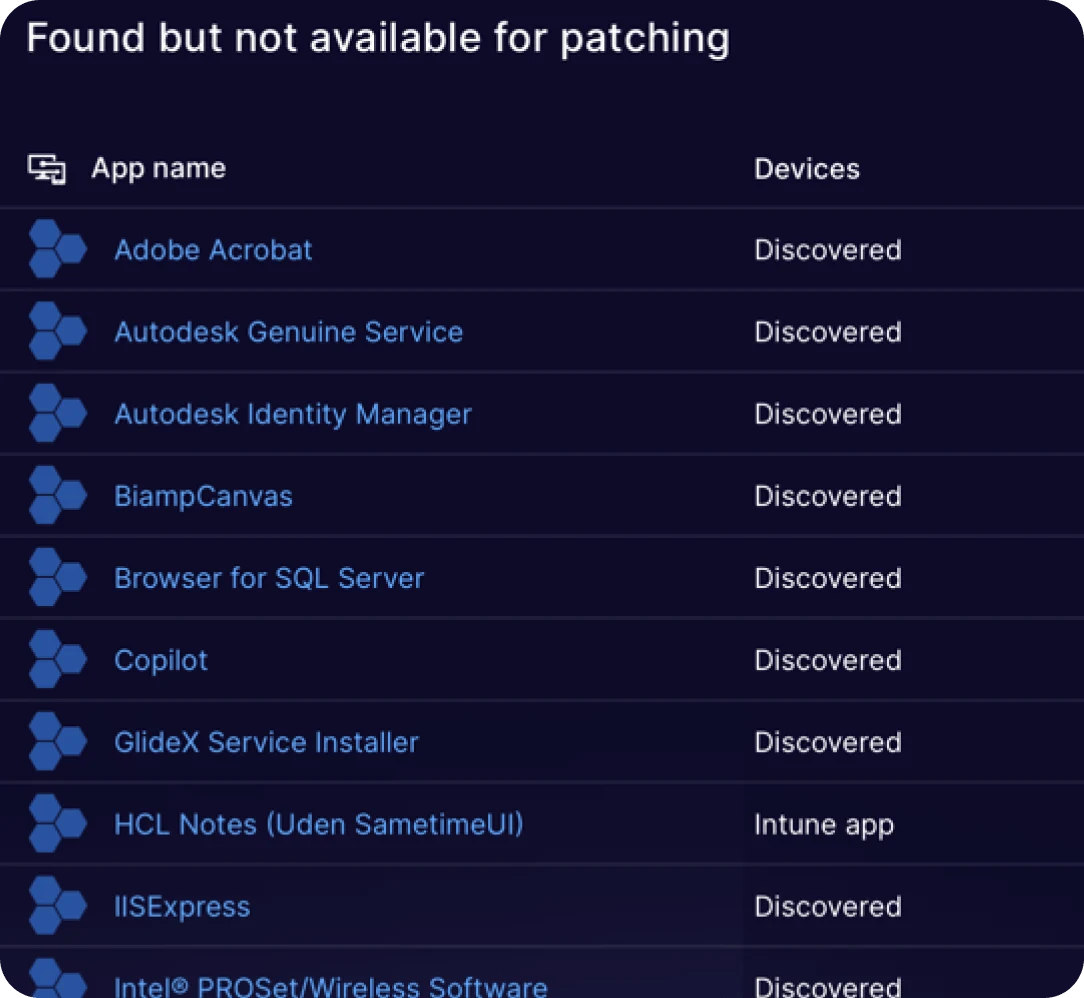
The apps Intune installs but never updates
Intune installs software. It does not keep it updated. So most estates carry a backlog of apps nobody patches — driver software that came with the hardware, engineering tools a few people depend on, Microsoft components that arrived alongside something else, commercial apps sitting on two or three versions at once.
The costly ones are the apps somebody already packaged by hand and deployed properly. Those install perfectly and then never move again, because every new version means building the package from scratch a second time.
Upload the installer once instead. Robopack packages it, proves it on a clean VM, and from then on new versions roll out through the same rings as everything else you patch.
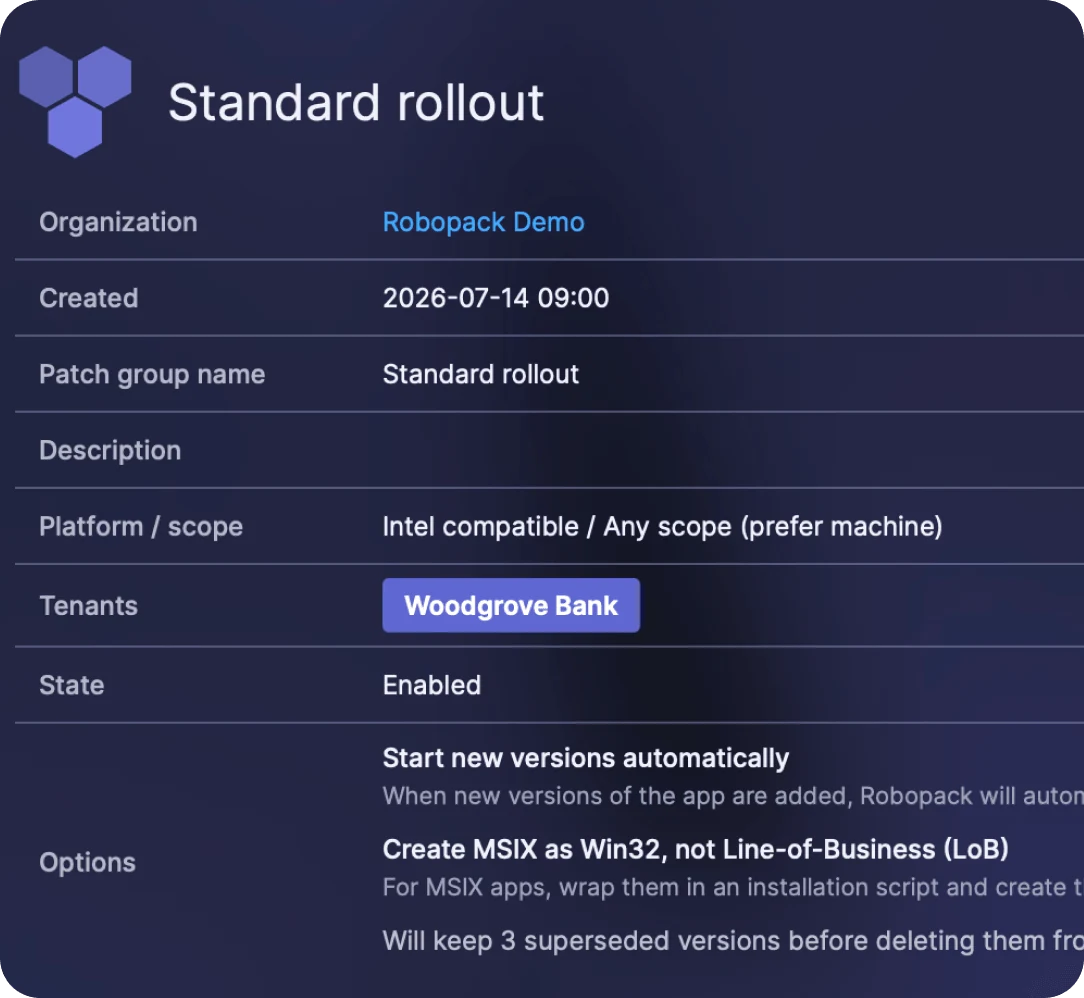
Patch multiple apps at once in patch groups
A patch group is the policy, written once. Which devices go first, how long each stage runs, what counts as success, what happens to the old version. Every app you put in the group follows it.
That is the part that is hard to do by hand. In Intune, each app gets its own assignment groups, its own supersedence rules, its own cleanup — so the policy lives in somebody’s head rather than in the system. Six months later no two apps are set up quite the same way. Nobody decided that; it just accumulated.
Here you decide once. Switch on Start new versions automatically and every app in the group picks up new releases on its own, so nobody has to notice that a vendor shipped something. Keep three superseded versions and you always have a version to fall back to, without your Intune app list growing forever. MSIX apps get wrapped and published as Win32 rather than line-of-business, because that is what most estates actually want.
Then adding an app is one drop-down. It inherits the whole policy — same staged rollout, same success thresholds, same handling — whether it came from the catalog, from a Radar scan, or from an installer you uploaded yourself.
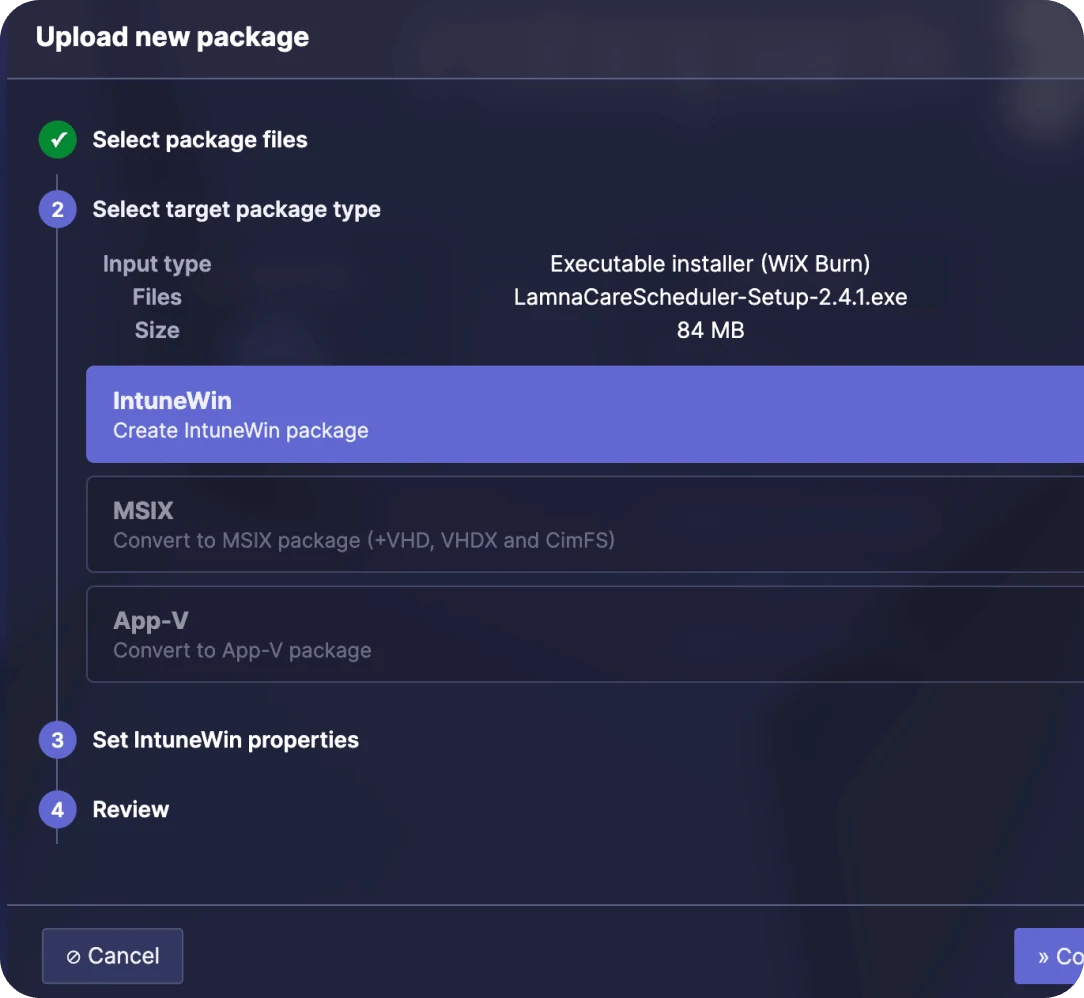
Package your own custom apps with drag and drop
Every packaging job starts the same way. Someone hands you an installer — from a vendor, or built by your own team — and you have to work out what it wants. Which silent switches it takes. What its uninstall string is. How to detect that it actually installed. Then you wrap it, push it to a test machine, and find out whether you guessed right.
Drop the file in here instead and Robopack reads it before asking you anything. It identifies the installer technology straight from the binary — a WiX Burn executable, an MSI, whatever it happens to be — along with the file set and the size. That is the part that matters, because the installer type is what dictates everything downstream: the switches, the exit codes, the way it has to be called.
Then you pick the output. IntuneWin, if you are deploying through Intune the usual way. MSIX, expandable to VHD, VHDX and CimFS if you need it. Or App-V. Same source installer, whichever format your environment actually runs.
Four steps, and the middle two are mostly you reading back what Robopack already worked out. No command line, no IntuneWinAppUtil, no test deployment into a spare Intune group to find out whether it installs.
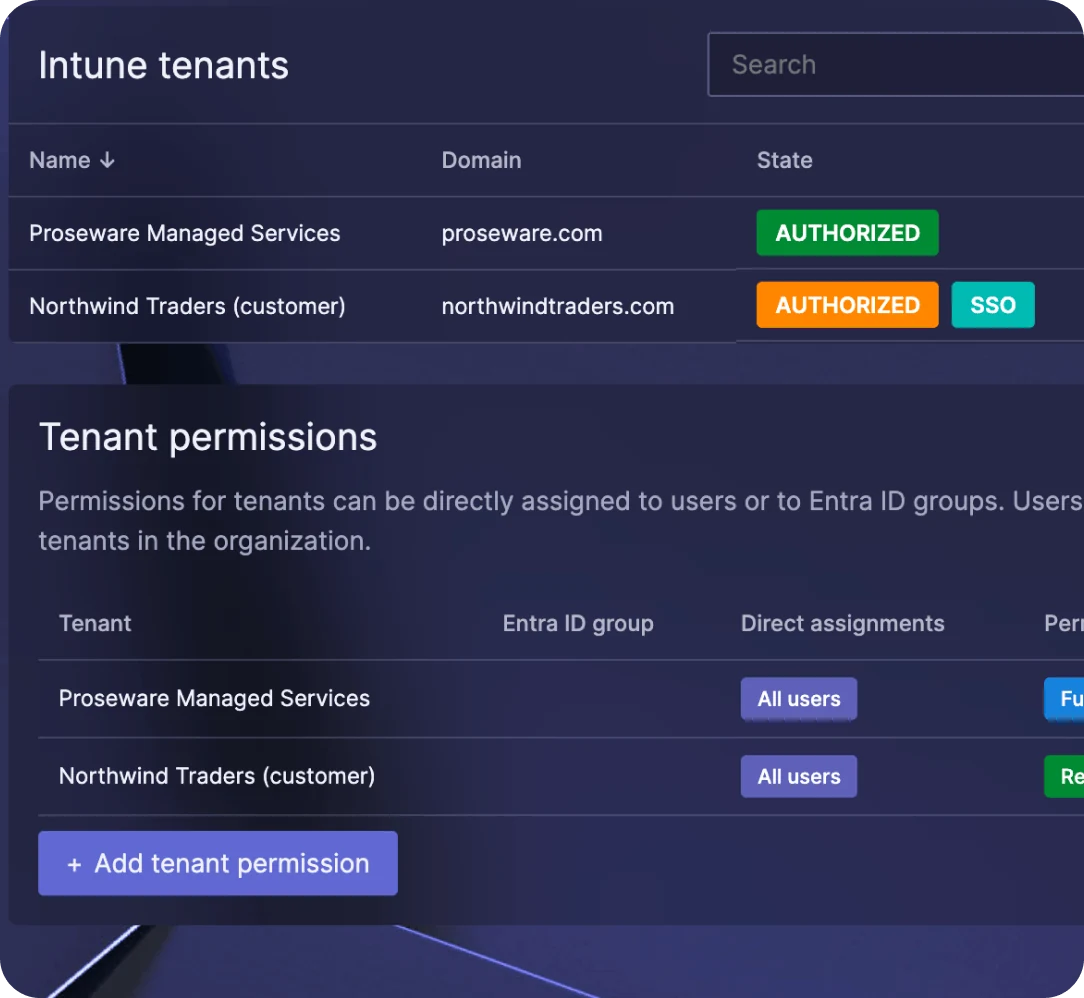
Built for people who manage more than one Intune tenant
Connecting a tenant is a Microsoft sign-in and a consent prompt. Robopack creates an app registration and a service principal, the permissions are listed in front of you before you accept, and the tenant appears in the list. Nothing to install, no certificate to exchange.
From then on each tenant keeps its own state — authorized, single sign-on enabled, or not connected — along with its device count and its own catalog and policy configuration. One patch group can publish to more than one tenant, which is how an MSP gets a single rollout policy running across every customer instead of rebuilding it per environment.
Delegation without shared logins
Tenant permissions go to individual users or to Entra ID groups, at three levels: Read, Write and Config. Organization administrators and security writers keep access to every tenant; everyone else sees only what they have been granted. Entra ID group assignment applies when the user signs in with an Entra account.
Ready in seconds · No login · No tenant
Try it in 30 seconds
The sandbox is a fully populated demo tenant. No test tenant or Intune lab needed, nothing to connect — open it and see packaging, patching and rollout waves work end to end.
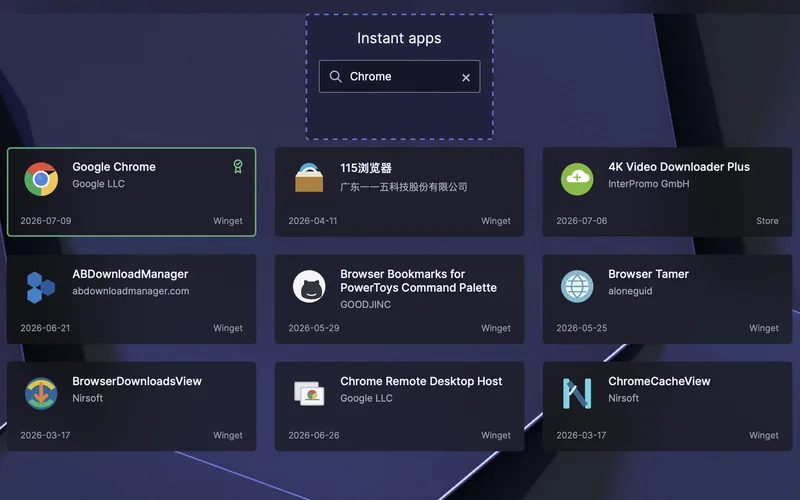
Browse the app catalog
Search a pre-loaded catalog and open any app to see its packages and versions.
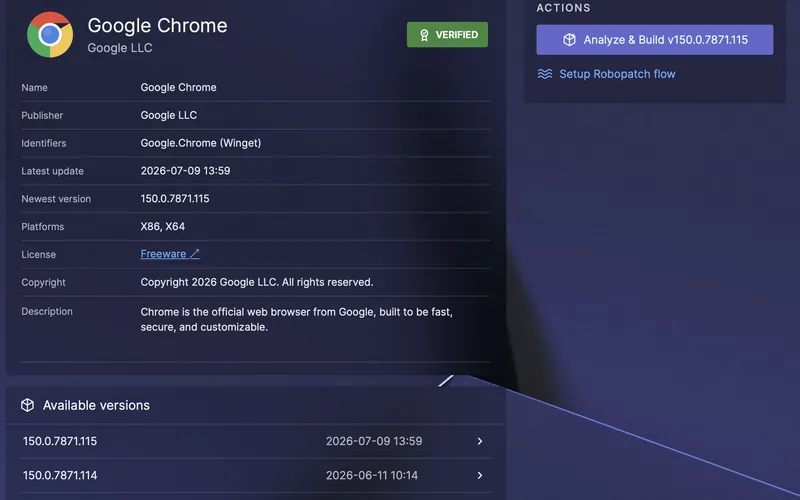
Patch Chrome and push a rollout wave
Take a new version from pilot to broad ring and watch each wave move.
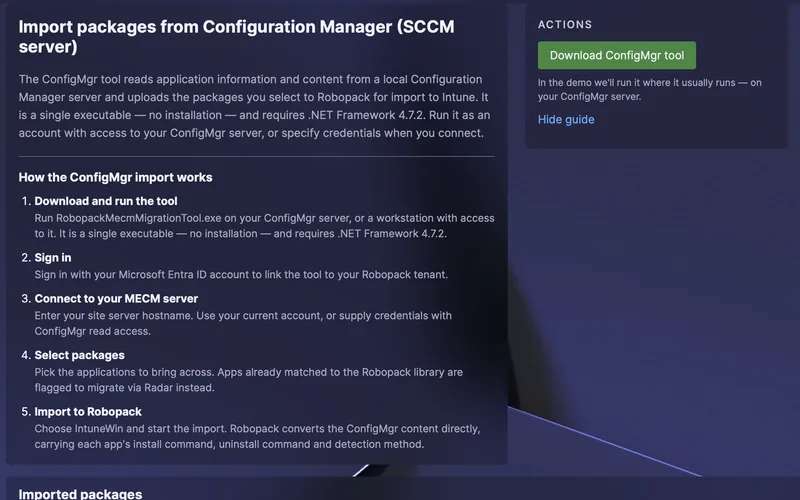
Walk the ConfigMgr-to-Intune tour
See how apps move from ConfigMgr into Intune without repackaging by hand.
Want it on your own apps instead? Start a 30-day free trial
See how Radar Tracking Works for Intune App Patching
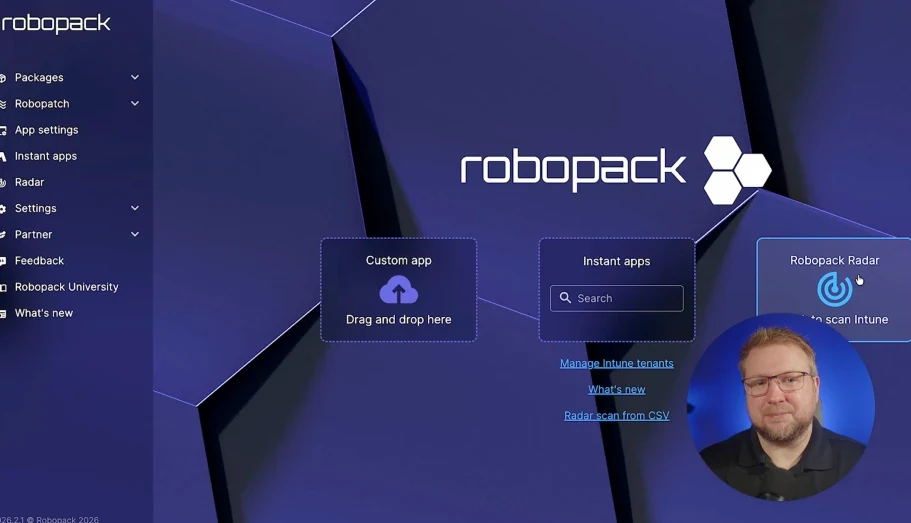
Play video
Why is Intune patching easier with Robopack?
Intune is a very good delivery mechanism. You give it a package, detection rules and an assignment group, and it installs the app and reports on it. What it does not do is notice that the vendor shipped a new build last night, rebuild the package, supersede the old version, stage the release so a bad update does not reach 2,000 machines at once, or tell you about the software on your devices that nobody deployed through Intune at all.
That gap is what most IT teams fill with a repackaging afternoon every quarter, a folder of PowerShell, and a quiet hope that nothing important is three versions behind. Intune patch management with Robopack closes it inside the tenant you already have.
| Job to be done | Intune on its own | Intune with Robopack |
|---|---|---|
| Deploy a Win32 app | Yes — this is what Intune is for | Unchanged. Robopack publishes into your tenant using the same Win32 app model |
| Package the installer | You do it, by hand, per app, per version | Built on demand as IntuneWin, MSIX or App-V, wrapped in PSADT |
| Notice a new vendor version | No — you have to watch for it | The catalog is monitored continuously; new versions enter your flow automatically |
| Stage the rollout | Manual: separate apps, separate groups, separate assignments | Pilot ring then broad ring, with response and success gates that must be met to progress |
| Detection rules for each new build | You rewrite and re-test them | Generated automatically and verified after install and after uninstall |
| Retire the superseded version | Manual cleanup in Intune | Configurable — keeps a set number of superseded versions, then removes them from Intune |
| Find apps installed outside Intune | Discovered apps data exists, but it is a version list, not an action list | Radar groups it into an app inventory and lets you put any of it into a patch flow |
| Line-of-business apps no catalog has | Entirely on you | Upload the installer once; Robopack packages, validates and then patches it like any other app |
Intune patch management questions
Does Microsoft Intune do third-party patch management on its own?
Not with the standard license. Intune will deploy and supersede a Win32 app that you have packaged, and it reports on what is installed. It does not monitor third-party vendors for new releases, rebuild the package, regenerate detection rules or stage the release through rings with success criteria. Microsoft’s paid Enterprise App Management add-on auto-updates apps from its own catalog; anything outside that catalog is still on you. Robopack adds those steps for 30,000+ apps plus your own custom apps, and you can click through it in the sandbox before you connect anything.
Do we need to install an agent on our devices?
No. Robopack publishes into your Intune tenant and uses the Intune Management Extension that is already there. There is no Robopack client on the endpoint and nothing to deploy on-premises.
What happens to the Win32 apps we have already created in Intune?
Radar lists them as Intune apps: deployed, but not being patched by anything. Where the application matches the catalog you can put it straight into a patch flow. Where it does not, you upload the installer once and Robopack packages it from then on.
Can Robopack patch applications that are not in any catalog?
Yes, and this is usually the deciding feature. Upload your installer; Robopack detects its properties, packages it as IntuneWin, MSIX or App-V wrapped in PSAppDeployToolkit, validates it on a clean virtual machine, and then treats it exactly like a catalog app — including attaching it to the same patch group and rings.
How do we stop a bad update reaching the whole estate?
Rings with gates. A release goes to the pilot ring first and only progresses when the response goal and success goal you set are met within the time limit. If they are not met, it holds. Because rings live on the patch group rather than on individual applications, that protection applies to every app in the group by default. Robopack also retains a configurable number of superseded versions in Intune so a rollback target exists.
What about software that appears on devices but nobody deployed?
Radar reports it as Discovered: found by Intune while scanning enrolled devices, but managed by neither Intune nor Robopack. You can see which devices hold which version and, if the application is in the catalog, bring it under management in one action. This category is typically where the oldest and most exposed software in an estate turns out to be.
Does it work across multiple Intune tenants?
Yes. Connect each tenant with its own sign-in and consent, then delegate Read, Write or Config permissions per tenant to users or Entra ID groups. A single patch group can publish to more than one tenant, which is how MSPs standardize a rollout policy across customers.
Does Robopack replace Intune?
No. Robopack sits on top of Intune and publishes through it. Your apps remain Intune apps, assigned to Entra ID groups, reported on in Intune. If you stopped using Robopack tomorrow the packages it published would still be in your tenant.
How long does it take to get value out of it?
The tenant scan is available almost immediately after you connect, because it reads data Intune has already collected. The pace after that is set by your own pilot ring — how long you want a release to prove itself before it goes broad.

Click through Robopack before you connect anything
Open the sandbox, patch an app and push a rollout wave in a demo tenant. When you want to see your own inventory, connect a tenant and read the Radar scan.
Or run it against your own Intune tenant with a 30-day free trial.